
THE BODDY JOURNAL
How Can You Use a Camera Workout App Respectfully in a Busy Gym?
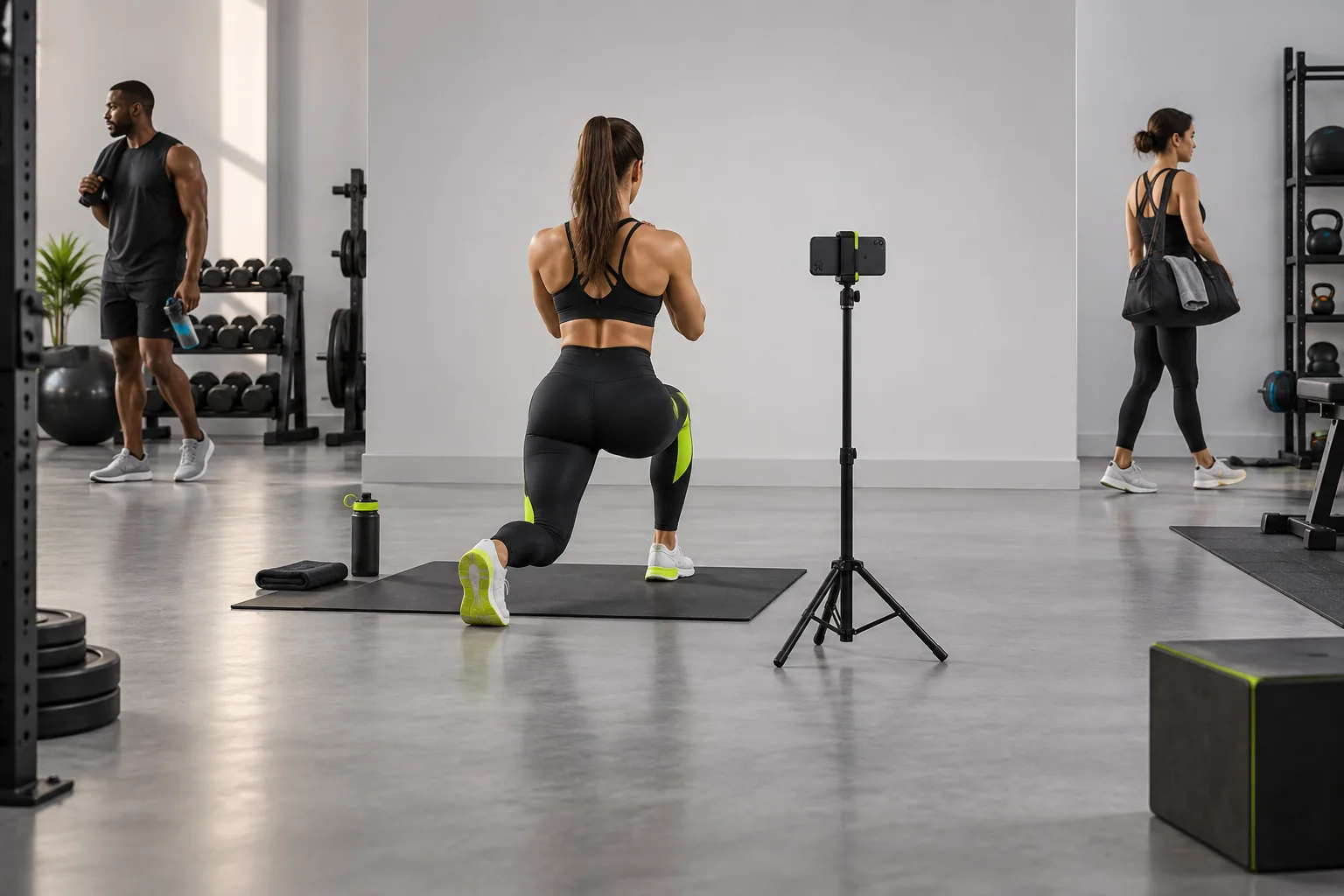
BODDY IN ACTION
Real-time coaching on the iPhone you already use.
Boddy follows supported movement, counts repetitions, and delivers concise visual and spoken cues during the set.


Direct answer: Use a narrow frame, ask when someone is likely to appear, avoid changing rooms and sensitive areas, keep equipment and tripods out of walkways, and follow the facility’s recording policy. Useful coaching never overrides another person’s reasonable expectation of privacy.
The complaint behind the question
Camera coaching can solve a real training problem while creating a social one. Users worry about filming strangers, attracting attention, losing the phone, or occupying too much space just to satisfy the app’s framing requirements.
Why this happens
The camera captures a scene, not only the intended athlete. Wide angles, mirrors, and busy backgrounds increase incidental capture. A technically ideal view may therefore be inappropriate in a shared space.
A five-point quality check
- Read the gym’s filming rules.
- Aim toward a wall rather than the main floor.
- Keep the frame tight and the phone close enough to supervise.
- Use a compact stable stand outside traffic.
- Pause when someone enters the frame.
A safer decision rule
If a respectful frame is unavailable, use manual logging or choose an exercise station with more privacy. The cost of missing a few automated cues is lower than creating conflict or recording someone without reasonable notice.
What good product behavior looks like
The camera workflow should fit the social space: fast setup, a narrow field of view, and a clear way to pause when someone enters the frame. It should not force a tripod into a walkway or require filming other members to obtain a cue. Gym rules may be stricter than the app's technical limits, so check them first. A manual set log is a valid success state when the environment does not permit respectful recording; the workout should not become unusable because the camera stays off.
Where Boddy fits
Boddy keeps the camera workflow compact: a stable iPhone view provides on-device guidance for supported exercises without requiring a remote coach or a live video call. That makes it easier to frame only the user and finish the set without turning the gym into a filming production. The user still remains responsible for bystander privacy, facility rules, and choosing a respectful camera position.
Important limit. On-device analysis does not remove the privacy concern for people in the camera frame. Gym policy and local rules may restrict filming even when no clip is saved; follow the applicable rules and staff direction.
A quick test before you depend on the feature
Worked example. At a busy cable station, the only angle that shows your whole body also points at a row of other members. Do not set up the shot just because it gives the model a cleaner view. Ask staff about the filming rule, try a different station facing a wall, and keep the phone out of walkways. If people still enter the frame, put the camera away and log the set manually. A useful camera feature should fit the shared space; other people's privacy is not a setup error to work around.
Bottom line
A useful cue never outranks another person's privacy or the facility's rules. Choose a respectful frame or put the camera away.
Sources checked in September 2026
BODDY IN ACTION
Real-time coaching on the iPhone you already use.
Boddy follows supported movement, counts repetitions, and delivers concise visual and spoken cues during the set.
TRAIN WITH BODDY
Want coaching that responds while you train?
Boddy combines personalized plans, meal logging, progress tracking, and real-time form guidance in one iPhone experience.