
THE BODDY JOURNAL
How Should You Position an iPhone for AI Form Coaching?
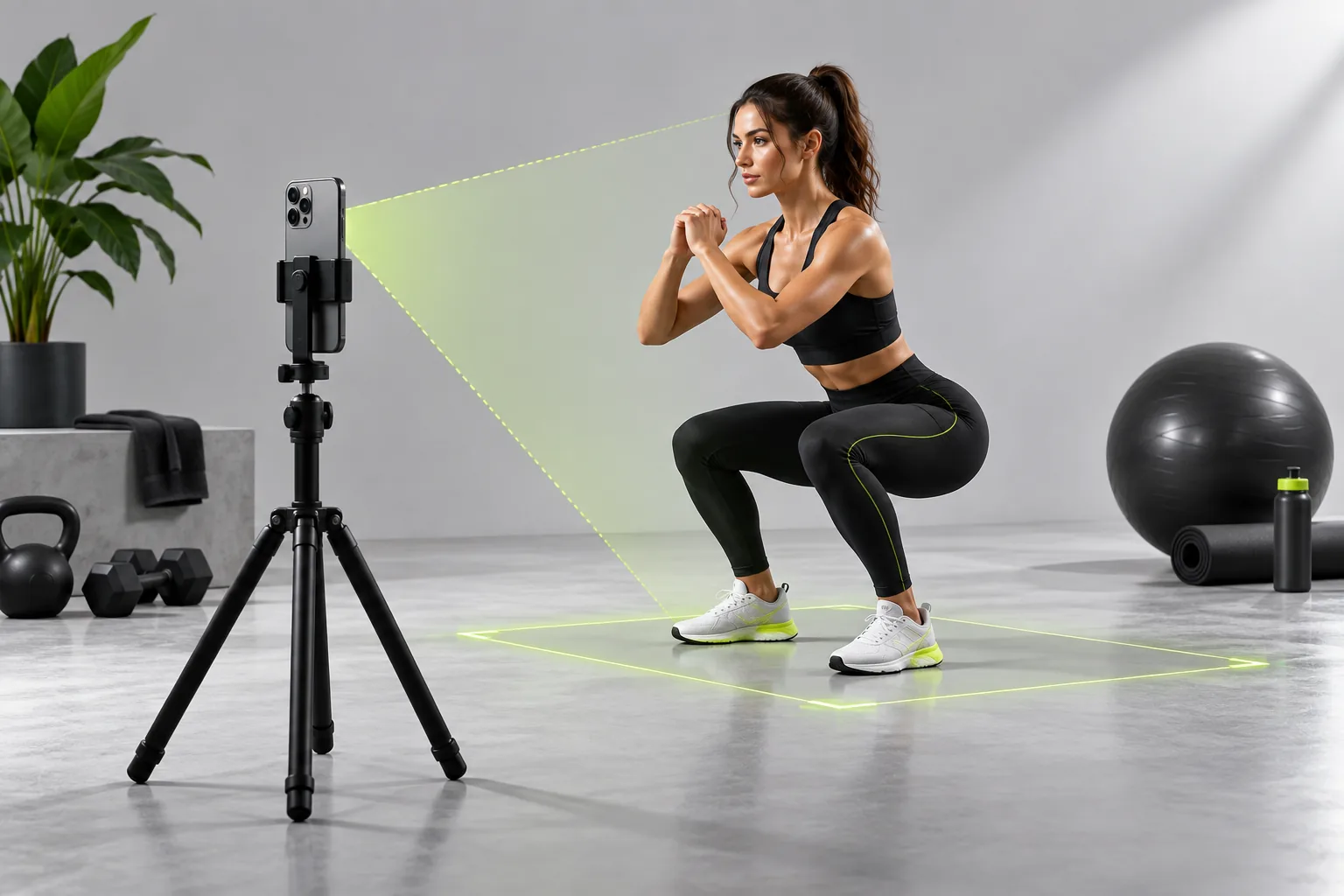
BODDY IN ACTION
Real-time coaching on the iPhone you already use.
Boddy follows supported movement, counts repetitions, and delivers concise visual and spoken cues during the set.


Direct answer: Place the iPhone far enough away to keep your whole body and the relevant implement in frame, stabilize it near the height that best exposes the movement, and choose a side or diagonal view based on the joints the exercise requires the app to see.
The complaint behind the question
Setup friction is one of the least glamorous but most important complaints about camera coaching. Users do not want to discover halfway through a set that their feet, hands, or hips were cropped or that backlighting erased the movement.
Why this happens
There is no universal camera angle. A side view may show squat depth and trunk position; a front or diagonal view can reveal stance and symmetry. The best angle also depends on the specific cues a product supports, not just what looks good on video.
A five-point quality check
- Use a stable stand rather than leaning the phone loosely.
- Leave space around every moving body part.
- Avoid strong backlight and mirrors that confuse the scene.
- Run two unweighted test reps.
- Keep bystanders and clutter out of the observation area.
A safer decision rule
Prioritize a safe lifting area first and model visibility second. If the ideal angle blocks a walkway or requires an unstable phone placement, choose another station or log the movement without camera coaching.
What good product behavior looks like
Setup guidance should be exercise-specific and short enough to use between sets. Show which body parts need to remain visible, then let the user verify two easy repetitions before relying on a live cue. A stable stand, adequate light, and a view that does not obstruct other people are practical requirements, not accessories to the marketing demo. If the setup cannot be made safe in that room, the workout should remain usable without camera analysis.
Where Boddy fits
Boddy is built around the phone the user already has, so effective setup begins with a stable view of the full supported movement rather than extra gym hardware. Once framed, the camera can follow repetitions and deliver visual and spoken guidance during the set. Distance and angle may need to change between exercises; treating that setup as part of coaching produces more dependable feedback than pretending every camera view is equivalent.
Important limit. There is no universal angle that exposes every joint for every exercise. Never place the phone where it can fall, block a walkway, or require an unsafe lifting position just to improve the model's view.
A quick test before you depend on the feature
Worked example. For a supported squat, set the iPhone on a stable stand and do two unloaded repetitions from a side or diagonal view. If your feet disappear at the bottom or the rack hides a knee, move the stand and repeat the test before adding weight. Mark a spot for the stand only if it does not block traffic or film other people. On the next exercise, recheck the frame instead of assuming the squat setup still exposes the important joints. If no safe, respectful angle works, complete the set without camera feedback.
Bottom line
Test the whole movement in the real space before adding load. Safe placement and respectful framing matter more than an ideal model angle.
Sources checked in September 2026
BODDY IN ACTION
Real-time coaching on the iPhone you already use.
Boddy follows supported movement, counts repetitions, and delivers concise visual and spoken cues during the set.
TRAIN WITH BODDY
Want coaching that responds while you train?
Boddy combines personalized plans, meal logging, progress tracking, and real-time form guidance in one iPhone experience.