
THE BODDY JOURNAL
How to Film and Review Your Squat Form on Your Phone
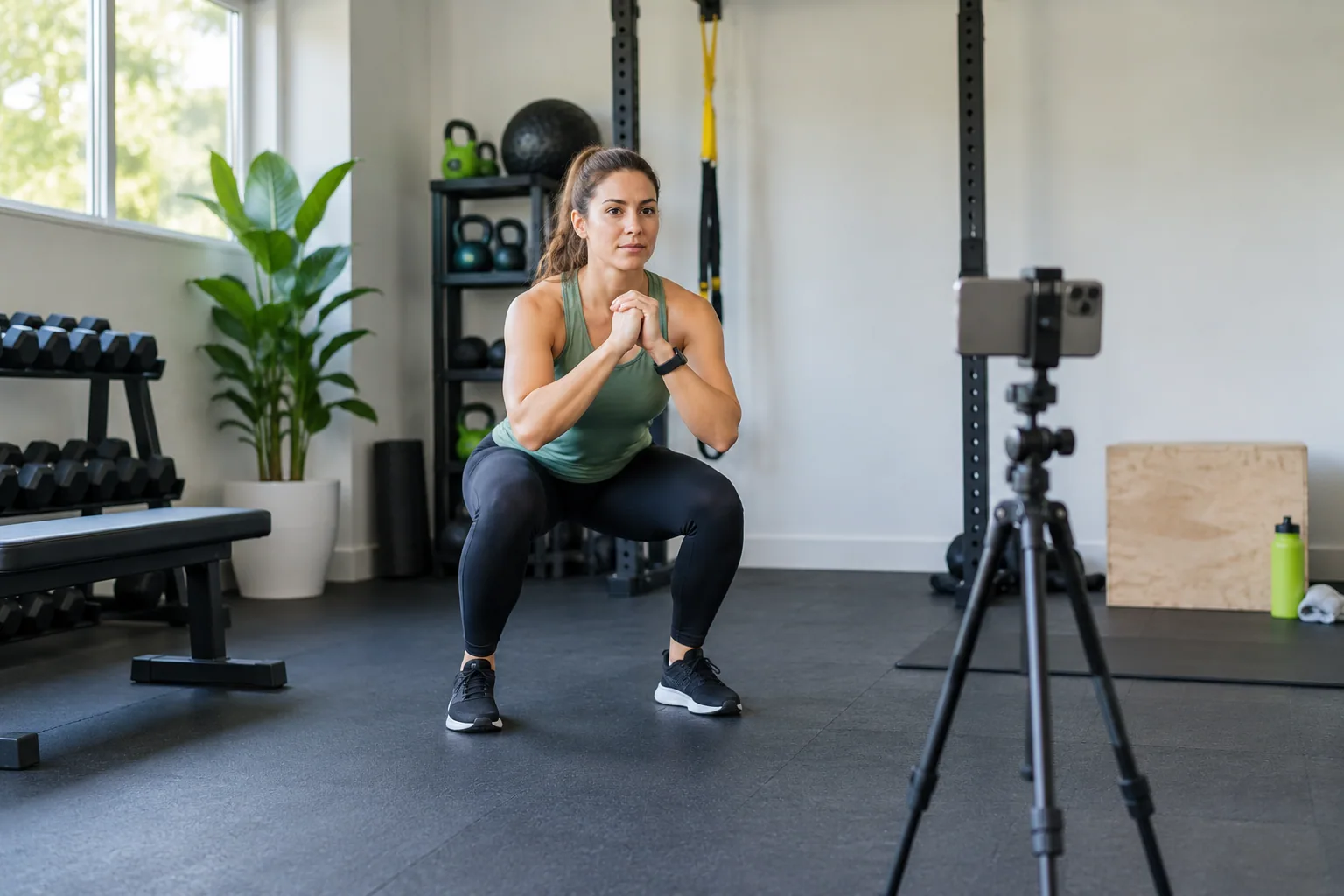
BODDY IN ACTION
Real-time coaching on the iPhone you already use.
Boddy follows supported movement, counts repetitions, and delivers concise visual and spoken cues during the set.


Direct answer: Set your phone on a stable surface, far enough away to show your whole body, and film a normal set at a manageable load. Choose one question before you press record. A side view is useful for approximate depth, torso position, and heel contact; a centered front view is more useful for left-to-right movement. Review several repetitions and write one observation before changing anything.
Set up a clip that answers a question
Start with the question, not the camera. “Does my depth change on later reps?” calls for a side view. “Do I shift toward one side?” calls for a front view. “Do my heels rise?” is usually easiest to inspect from the side with both feet visible. No single angle captures every detail, so film separate sets if you need two views rather than using a steep diagonal angle that makes both harder to interpret.
Put the phone on a stable, level surface around hip height and frame your feet, hips, shoulders, and head throughout the repetition. Make sure the relevant joints are visible at the bottom of the squat. Use even light and a background that does not hide your outline. Do not place a phone where a bar, plate, person, or moving equipment could hit it. In a gym, follow its filming and privacy rules and keep other members out of frame.
Record the load and exercise variation if you want to compare clips later. Use a load you can control and perform your ordinary reps; a deliberately exaggerated test rep can misrepresent your usual movement. Keep footwear, stance, camera location, and load reasonably similar between comparisons.
Review the whole repetition
Watch the set once at normal speed before slowing anything down. Look at setup, descent, bottom, ascent, and finish. Compare the first and last repetitions: does the feature you asked about stay similar, or change as the set gets tiring? Then watch a short segment in slow motion if it helps locate when a change occurs.
Describe what happened without diagnosing it. “My heels visibly rise on reps four and five” is a useful observation. “I have bad ankles” is a conclusion the clip cannot establish. A side view can help compare approximate depth and show visible heel separation. A front view can show a noticeable shift or difference between sides, but camera alignment can create misleading asymmetry. Squat technique involves interacting factors such as stance, trunk position, and depth, not one universal silhouette (biomechanical review).
Turn the observation into one test: “Next session I’ll stop one rep earlier and see whether depth stays consistent.” Change only one factor at a time so you can tell what made a difference. A systematic review of resistance-training feedback reports benefits for some outcomes and uncertainty for others. Treat any cue as input, not a verdict.
What video cannot tell you
A phone records visible motion from one perspective. It cannot directly measure internal joint forces, explain why a heel rises, diagnose pain, or certify that a load is safe for you. Clothing, equipment, camera angle, and lighting can hide landmarks or distort proportions. A movement that looks different from a diagram is not automatically wrong, and a clean-looking clip does not prove that an exercise suits your health history.
If you share a clip with a coach, include the exercise, load, and exact question; an unedited set gives more context than one selected frame. Seek a clinician for persistent or worsening pain, a recent injury, or symptoms that concern you. Stop a set if you develop pain, dizziness, or unusual symptoms.
Where Boddy fits
Boddy offers iPhone camera guidance for supported exercises, including a squat check when the body is visible from a suitable angle. It can provide a limited movement cue; it cannot review every detail a human coach could or identify the cause of a pattern. See Boddy’s camera-feedback limits. For the specific phone placement workflow, read how to position an iPhone for camera coaching.
Try Boddy’s live squat form check with a controlled set. Treat the result as a prompt to inspect visible movement, not medical or individualized coaching. Download Boddy on the App Store to keep your workouts and progress together. If your question involves pain, rehabilitation, or heavy unfamiliar lifting, ask a qualified professional.
Sources: Swinton et al., squat assessment review; Weakley et al., feedback systematic review; Boddy camera coaching scope.
BODDY IN ACTION
Real-time coaching on the iPhone you already use.
Boddy follows supported movement, counts repetitions, and delivers concise visual and spoken cues during the set.
TRAIN WITH BODDY
Want coaching that responds while you train?
Boddy combines personalized plans, meal logging, progress tracking, and real-time form guidance in one iPhone experience.